medium · March 16, 2026
Dockerizing Jenkins: From Setup to Scalable Pipeline
Prompt: Claude Image: ChatGPT
Level Up Solutions is looking to modernize its software development and deployment workflows. To do that, the team is adopting Docker and Jenkins pairing containerization with an industry standard CI/CD platform to build something more reliable, repeatable, and scalable.
Objective
The goal is straightforward: use Docker to run and manage Jenkins containers with persistent volumes, creating a CI/CD pipeline that can handle frequent deployments without breaking down or losing critical data.
Pull Jenkins LTS image → Create data volume/verify → Run and map container → verify
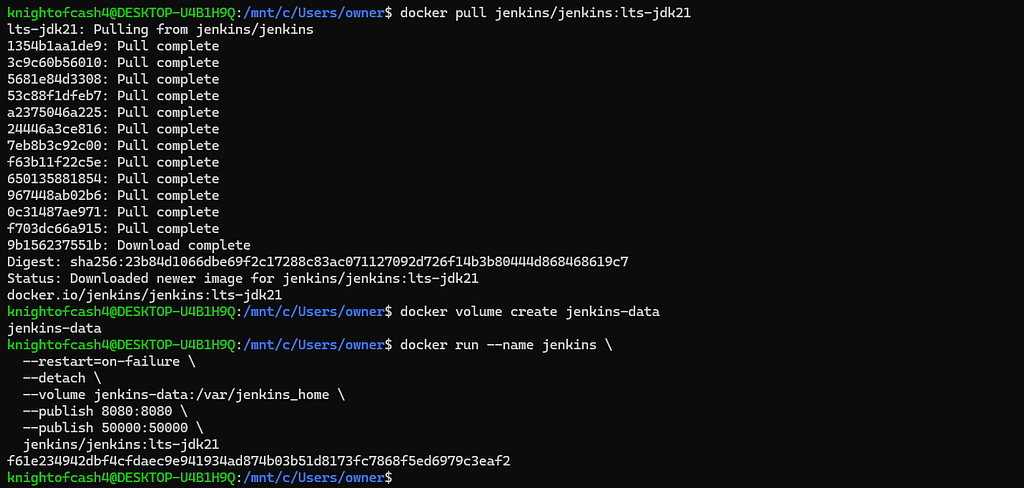
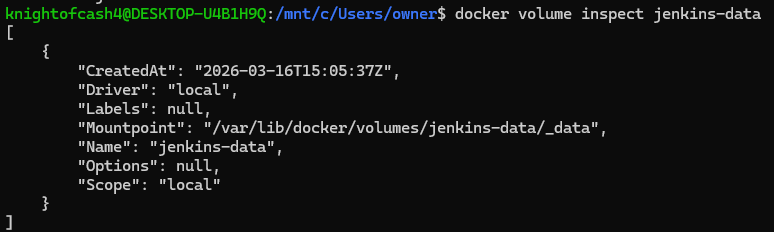
- Retrieve Jenkins admin password

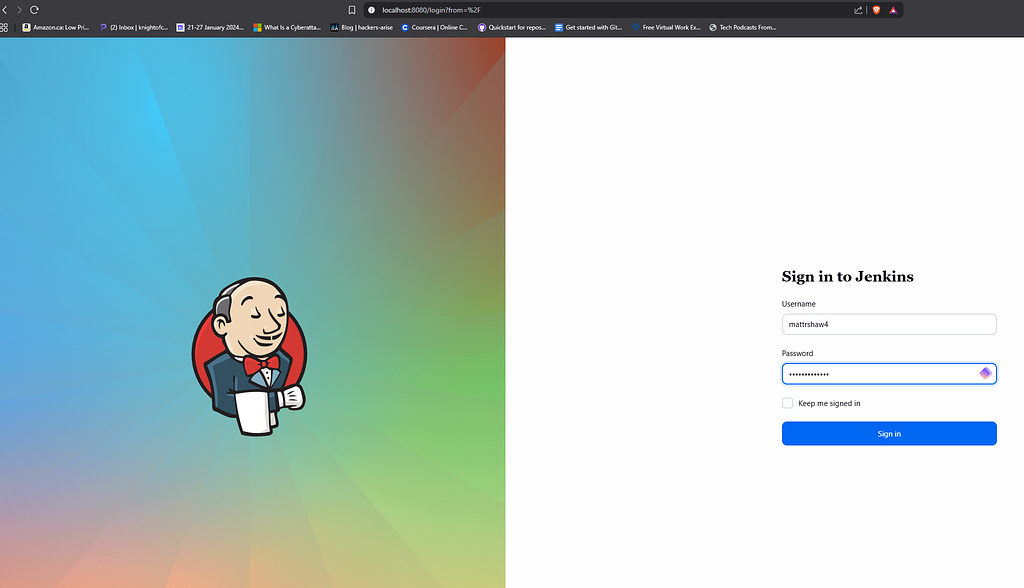
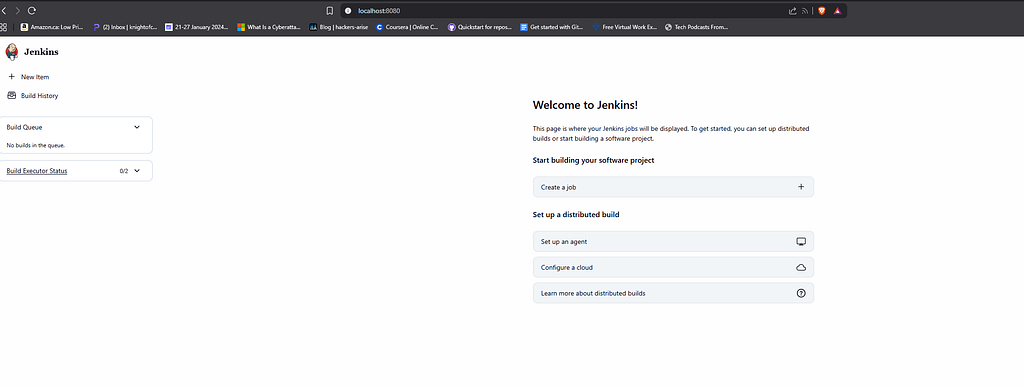
- Open browser → localhost:8080 → Copy & paste admin password
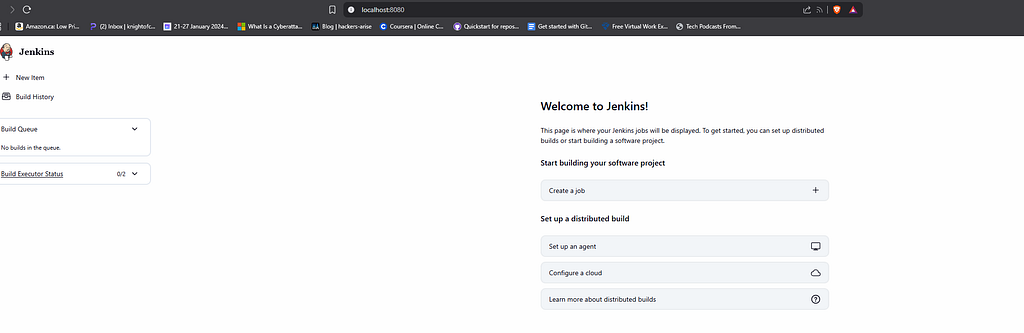
- Create a brand new user
- Stop the container
- Restart → login with newly created credentials
What This Actually Solves
1.Less Setup, More Building Containerizing Jenkins cuts down the time engineers spend configuring environments, so the team can stay focused on writing and shipping code.
2. Consistency Across Environments Docker containers behave the same way regardless of where they run. That means fewer “works on my machine” headaches and more predictable application behavior across dev, staging, and production.
3. Scalable on Demand New Jenkins instances can be spun up as workloads grow, keeping the pipeline efficient without over-provisioning infrastructure.
4. Data That Survives Container Changes Docker volumes keep build history, job configs, and other critical data intact even when containers are updated or replaced. The pipeline stays stable through changes.
5. Lower Infrastructure Costs Running multiple containers on shared host resources means Level Up Solutions gets more out of existing infrastructure without proportionally increasing spend.
6. Controlled, Reversible Updates Docker images are version-controlled. Making Jenkins updates and rollbacks, a deliberate and manageable process rather than a gamble.
Combining Docker and Jenkins gives Level Up Solutions a CI/CD foundation that’s durable, cost-aware, and built to grow with the team.
Lets now look at a Security-Hardened version of this same container.
Layer 1
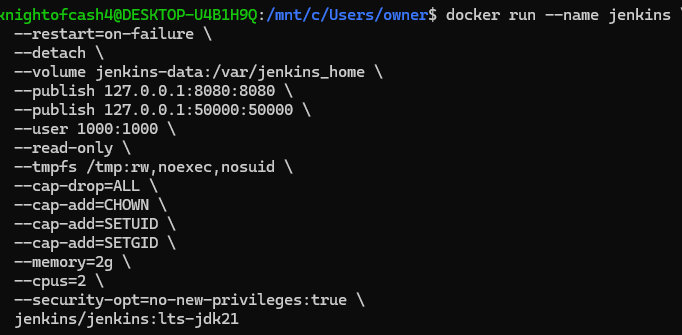
Lets break down the Docker flags:
- - -publish 127.0.0.1:8080:8080: Binds to localhost only so Jenkins isn’t exposed to the network by default
- - -cap-drop=ALL: Drops every Linux capability the container does not need.
- - -cap-add=CHOWN/SETUID/SETGID: adds back only the minimum amount of Linux capabilities required which directly shrinks the attack surface.
- - -user 1000:1000: Runs Jenkins as a non-root user
- - -security-opt=no-new-privileges:true: Prevents the container from ever escalating its own privileges.
- - -read-only: Makes container filesystem read-only
- - -tmpfs /tmp: Mounts /tmp in memory only — noexec prevents executing scripts from it.
- - -memory & - -cpus caps prevent a compromised container from launching resource intensive processes like a crypto miner that crashes the host.]
Layer 2
Once Jenkins is running, do these inside the UI:
Disable unused plugins and ports: Each unnecessary plugin is a potential CVE waiting to be exploited. Over 44% of developers use Jenkins making it a high-value target.
Credentials management: Never store credentials in plain text or commit them to Git. Use the Jenkins Credentials Plugin or connect an external vault like AWS Secrets Manager.
Role-based access control: Install the Role Strategy Plugin to enforce least privilege on who can trigger builds, configure jobs, or access the system.
You can also use Dockers own security script Docker Bench once the Jenkins container is setup. It checks your running containers against dozens of recognized best practices and audits your Docker daemon config and each running container. It will flag any misconfigurations and score your setup.
